
本文主要介绍如何使用Hugo在Github搭建免费的个人博客,关于Hugo
可在其官网上进一步了解。
环境介绍
- Mac OSX 10.11.1
- 项目根路径 ~/www/
搭建步骤
在
Github创建两个仓库,比如blog.hugo和chungwei.github.io安装
Hugobrew install hugo使用
Hugo创建站点cd ~/www hugo new site blog.hugo cd blog.hugo/本地仓库和远程仓库关联
git init
git remote add origin https://github.com/your-name/blog.hugo.git
创建页面
hugo new about.md下载站点主题
git submodule add https://github.com/dim0627/hugo_theme_beg.git themes/beg启动服务
hugo server -w --theme=beg --buildDrafts浏览器访问 http://localhost:1313/
看到如下图页面,说明本地搭建博客已经没问题了。接下来就是如何挂到Github上。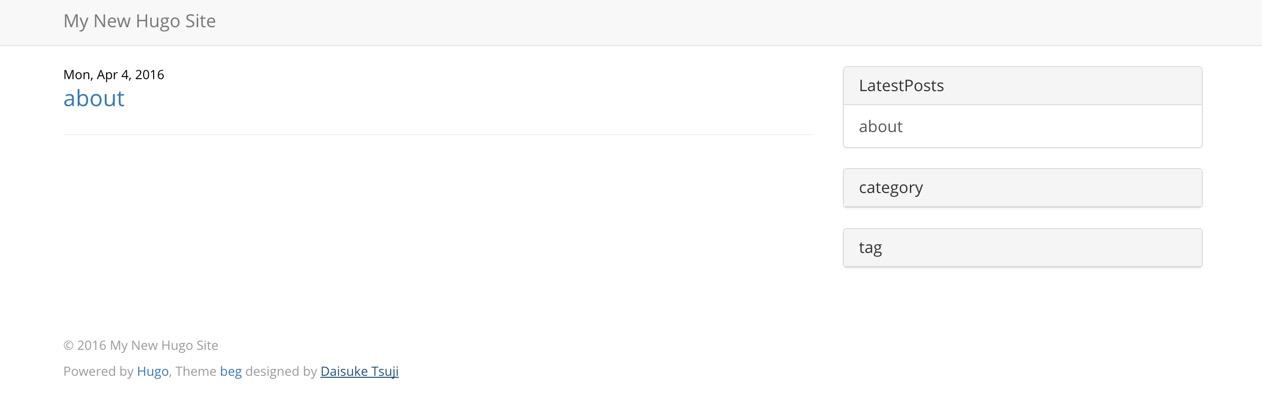
提交
blog.hugo到远程仓库git add -A git commit -m 'commit demo' git push origin master生成站点页面
执行完命令,目录下会多一个public目录,要发布到Github的博客页面就在该目录中rm -rf public hugo --buildDrafts -t beg检出博客页面远程仓库
cd ~/www
git clone https://github.com/your-name/chungwei.github.io.git
cd chungwei.github.io/
复制本地博客页面到该仓库
cp -R ~/www/blog.hugo/public/* .提交
chungwei.github.io到远程仓库git add -A git commit -m 'ci demo' git push origin master浏览器访问 http://chungwei.github.io/
看到步骤8页面,说明博客搭建成功。可能存在这样的情况:
访问http://chungwei.github.io 出现404,但访问http://chungwei.github.io/about是正常的,原因是仓库chungwei.github.io缺少README.md,创建该文件即可解决
安装插件
评论功能
国外的有 disqus,国内的有 多说, 因为多说支持国内第三方账号登录,下面简单说一下如何配置:- 注册多说账号,按照引导一步步往下走即可;
- 完成后,提示将一段 js 代码引入页面;
- 将 js 代码放在
layout/partials/duoshuo.html中; - 在
config.toml的[params]节点下加入配置项duoshuoShortname = "your-blog-name", 注意:your-blog-name是在注册多说账号时填的名称; 在页面中引用
layout/partials/duoshuo.html{{ if .Site.Params.duoshuoShortname }} {{ partial "duoshuo.html" . }} {{ end }}
代码高亮
在文件头部设置变量highlight = true即可。之前尝试在
config.toml文件中设置,都不生效